Open Google Play
Tap Get ECCD Care Tracker on Google Play. It opens the app’s Google Play page.

New to ECCD Care Tracker? Install the Google Play app, create your teacher account and start with your teacher dashboard. Future app updates come through Google Play.
Use Google Play for your first installation. No separate website app is needed.
 ECCD Care TrackerThe app for your teacher workspace
 See filled reports and the Scores page ↓
Browse filled examples of Child’s Records, Parent Checklists and Summary Learners. Choose a report, turn the pages and open a larger view to read the details. No PDF download needed.
Fictional examples only—not real children’s records. These are filled test reports. Each example may use a different fictional child or class; unused evaluation columns remain blank until an assessment is completed. ECCD Care Tracker is independent; these previews do not imply government endorsement.
Three completed fictional evaluations, the child’s profile, assessment marks, score table and graphs.
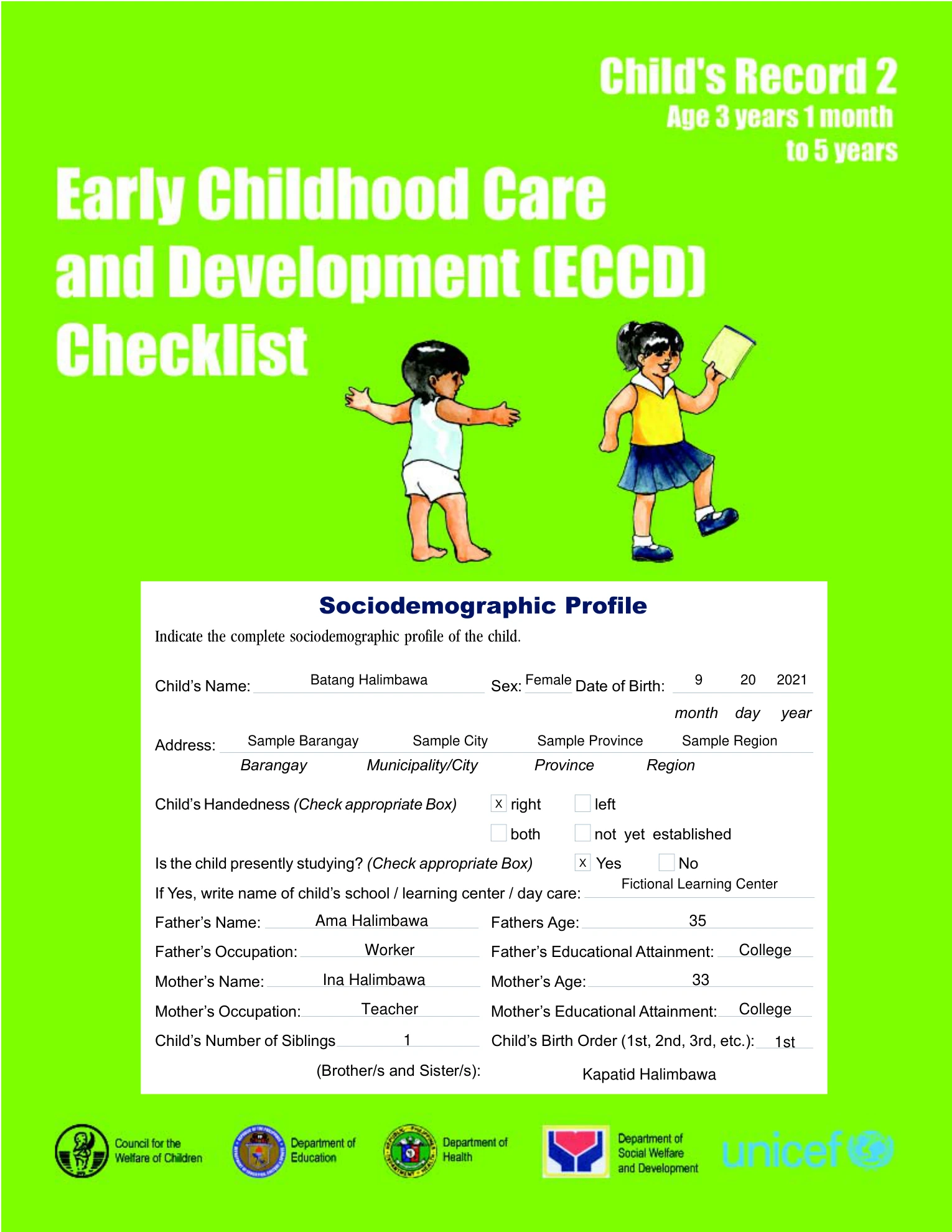
Child’s Record 2 · Page 1 of 20. Open the larger view to zoom in.
The selected report page is shown above. Page text becomes available with the preview controls.


See the full score summary—not just the totals. Scroll the example beside this text, or open it larger to read every part.
Fictional app-interface example. The shipped interface is shown with recorded fictional test values. It is not a real child’s assessment or a diagnosis.

Scroll inside the preview to see the entire screen. Use the larger view for zoom controls.
Use these steps for a new installation. If your classes are in the older website app, keep it installed and follow your separate existing-user migration instructions.
Tap Get ECCD Care Tracker on Google Play. It opens the app’s Google Play page.
Let Google Play download and install ECCD Care Tracker. Keep Play Protect turned on.
Open the app from Google Play. New teachers choose Create an Account; registered teachers choose Log in.
Already registered? Use your existing teacher email. Do not create a second account or pay again just to change apps.
Earlier app screens are shown for reference. Follow the current button names in the steps below. No learner information is shown.
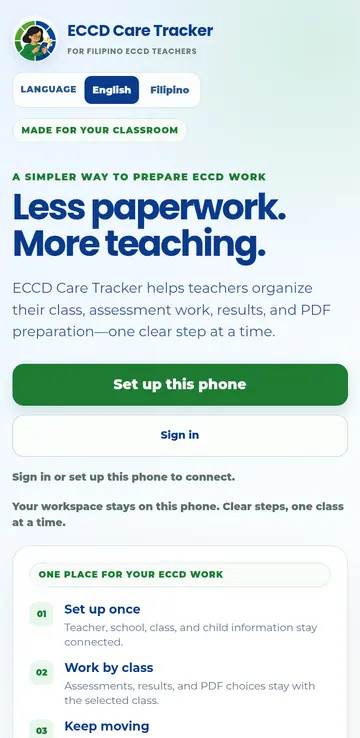
New teacher? Tap Create an Account. Already registered? Tap Log in.
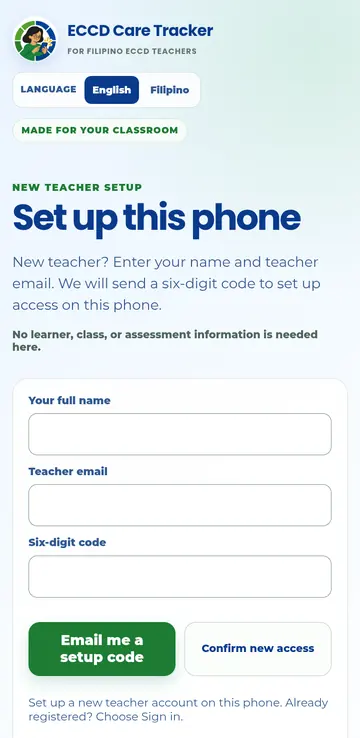
Enter your name and teacher email. No learner, class or assessment information is requested here.
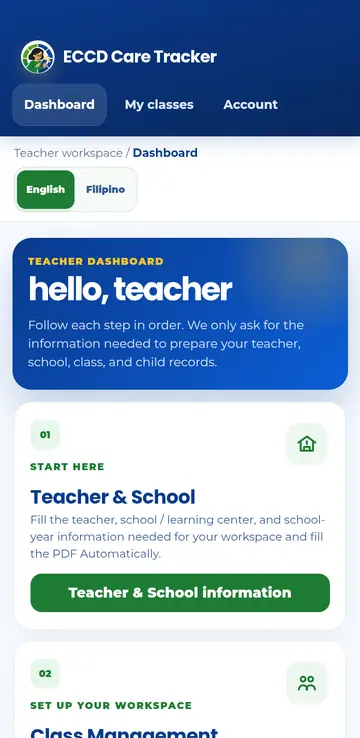
The dashboard shows the next step in order. Begin with Teacher & School, then continue to your classes and learners.
New users install from Google Play. Existing website-app users should keep their old app and follow their separate migration instructions before switching.
ECCD Care TrackerInstall and update through Google Play
Google Play and the Google Play logo are trademarks of Google LLC.